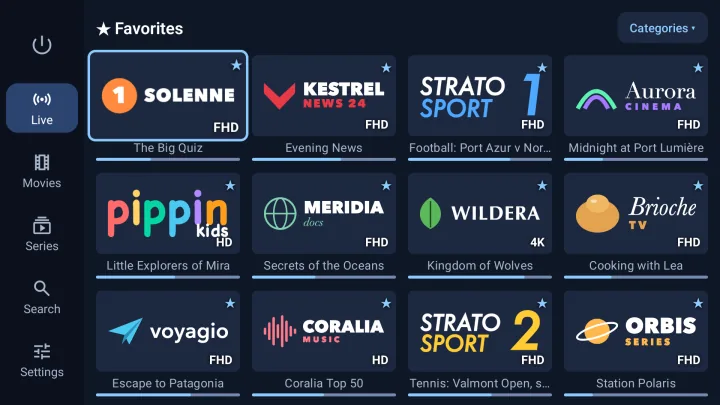
Live TV with the TV guide
Your favourite channels in large tiles, with the programme on now and its progress bar. Choose the quality of each channel (HD, Full HD, 4K), organise your favourites and zap instantly.
IPTV player · Android TV · Google TV · iPhone · iPad · Apple TV
Add your IPTV subscription (Xtream Codes or M3U) and enjoy your live channels, movies and series in a clean, fast app, on your TV and on your phone. And when a film is in a language you don't speak, Velaria Player prepares the subtitles in yours.
Coming soon to Google Play and the App Store
Velaria Player is a player: it does not provide any channels, movies or series. Use it with your own IPTV subscription, from a provider that is licensed to broadcast its content.
Velaria Player reads the Xtream Codes and M3U playlists from your provider and turns them into a real streaming platform, designed for the remote control as much as for the touchscreen.
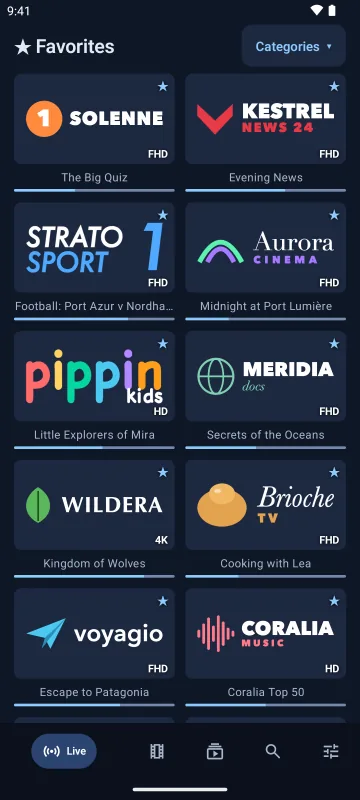
Your favourite channels in large tiles, with the programme on now and its progress bar. Choose the quality of each channel (HD, Full HD, 4K), organise your favourites and zap instantly.
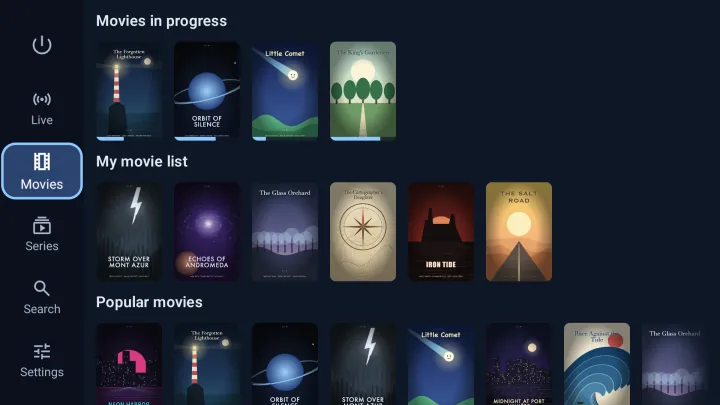
“Continue watching”, “My list”, “Popular” and one row per genre. Duplicates are grouped: one poster per title, with all its versions (languages, HD, 4K).
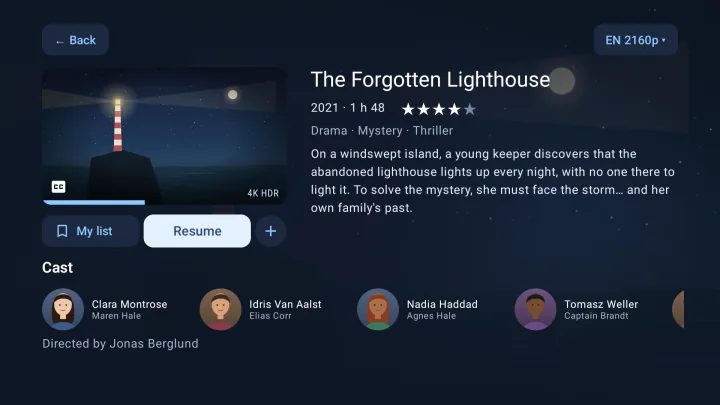
Synopsis in your language, genres, rating, cast with photos, trailer and version choice: every title gets a proper page, even when your provider gives almost nothing.
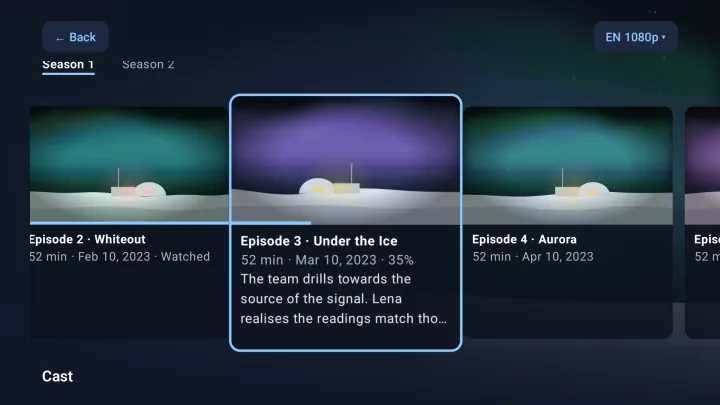
Velaria Player remembers where you stopped, episode by episode, and offers what comes next. With a Velaria account, finish on the tablet what you started on the TV.
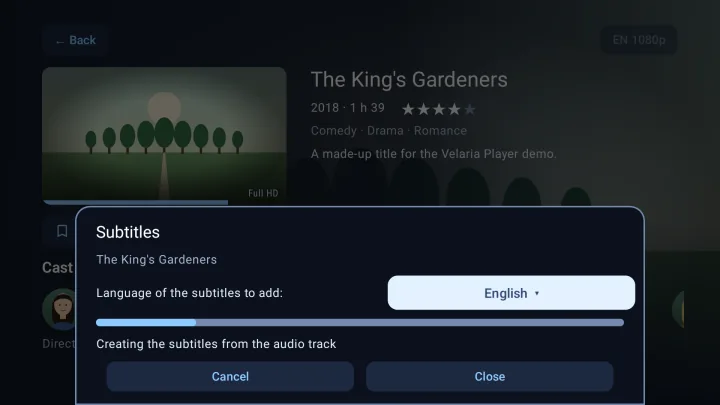
A film only in English, a series in Turkish, a documentary in Italian? Choose your language and press “Add”: Velaria Player prepares the subtitles and shows them during playback.
In the video itself, then in a large online subtitle library, checking that they are in sync with your version.
When none exist, speech recognition writes down the dialogue from the soundtrack.
A natural translation into one of the app's ten languages, then kept for all your devices.

The same Velaria Player everywhere, adapted to each screen. One Velaria account keeps your favourites, your list, your progress and your settings from one device to the next.
Built for the remote: big posters, simple navigation, 4K and HDR.
Android TV 8.0 or laterTouch-friendly, bottom navigation bar, M3U playlists by link or file.
Android 8.0 or later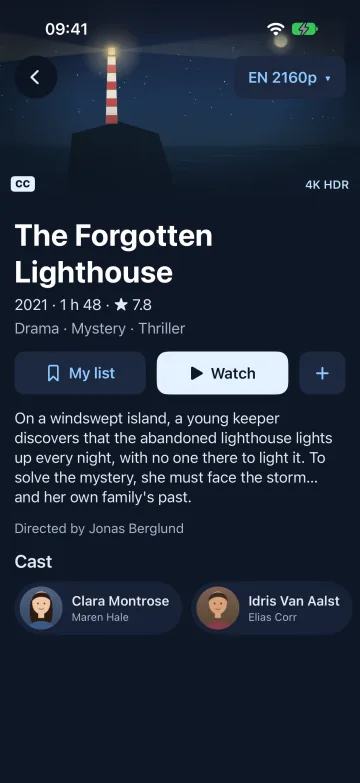
A real iOS app, with a video engine that also plays MKV and HEVC.
iOS and iPadOS 17 or later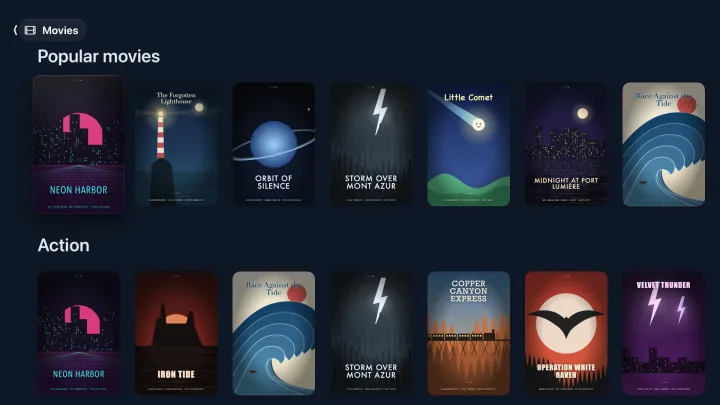
The big screen and the Siri Remote, with the same library.
tvOS 18 or laterCreate your free Velaria account with your email address: your IPTV sources, favourites, “My list”, progress and settings follow you on all your devices. Add your subscription once on your phone and it is ready on the TV, without typing anything with the remote.
Free
Price coming soon
Velaria Player does not sell IPTV subscriptions: you keep your provider.
No. Velaria Player is an IPTV player: it plays the subscription you already have with your provider (Xtream Codes login or M3U playlist). It does not include or sell any channels, movies or series.
Any subscription that gives you an Xtream Codes login (server address, username and password) or an M3U playlist, which is the case for most providers.
Android TV and Google TV (TVs, boxes and sticks), Android phones and tablets, iPhone, iPad and Apple TV.
No: they require a Velaria subscription, because creating and translating subtitles runs on our servers. The rest of the app is free.
The app and the subtitles are available in English, French, German, Spanish, Italian, Portuguese, Turkish, Arabic, Indonesian and Chinese.
Not to watch. The free Velaria account lets you find your sources, favourites, list and progress on all your devices.